




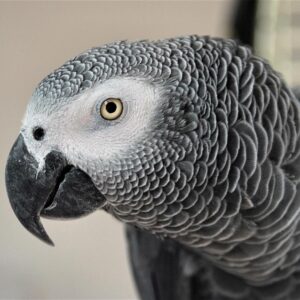
Capturing your pet bird on camera is a fun way to celebrate their vibrant colors, curious expressions, and unique personality. Birds make naturally eye-catching subjects, yet they’re often overlooked in pet photography. With a few simple techniques and the right timing, you can create photos that highlight your bird’s charm and energy, no fancy equipment required.
Photographing your feathered family member isn’t just about getting a cute shot; it’s about capturing your bird’s color, charm, and quirks in a way that does them justice. With a few expert-backed techniques (and a bit of patience), something you use every day — your smartphone — can take frame-worthy portraits. Top birding resources like the Audubon Society and National Geographic offer tips that work as well in your living room as they do in the wild.
Let There Be (Good) Light
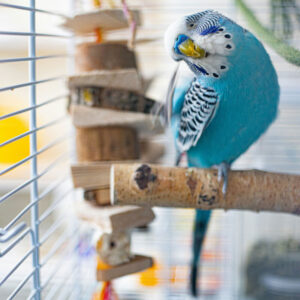
The Audubon Society stresses the importance of lighting when photographing birds outdoors. The same principle applies indoors: natural light is your best friend. Position your bird near a window with soft, indirect sunlight. Avoid harsh midday rays, which can wash out color or cause squinting (yes, birds squint too!). Forgo the flash, as it can startle your bird and ruin the photo’s mood. Choose a quiet space, use a stable perch, and keep distractions minimal for a relaxed session.
While outdoor settings can offer beautiful lighting and natural backdrops, photographing your bird outside should be done with extreme caution. Birds can be startled easily and may fly off unexpectedly, even with a recent wing-feather trim. If you do venture outdoors, keep your bird in their cage, travel carrier, or aviary enclosure (or in a secure harness if your bird is harness-trained) to ensure your bird’s safety.
Get Eye-Level
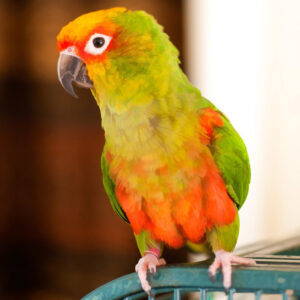
National Geographic photographers recommend getting low and shooting from the bird’s eye level to create a more intimate connection in the image. Whether your bird is perched on top of their cage or hanging out on their playgym, eye-level shots feel more personal and lifelike than those taken from above.
According to the Audubon Society, the eyes are everything in bird photography. Tap your phone screen on your bird’s eye to lock focus and exposure. A sharp, detailed eye draws viewers in and anchors the entire image.
Try A Tripod Perch
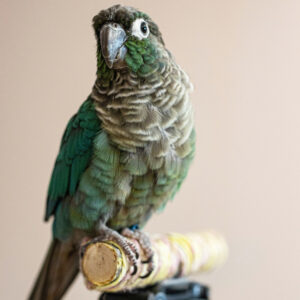
Pro pet photographers often use a portable perch mounted on a camera tripod (find online using “tripod bird perch” in the search field), which makes it easy to move the perch around, and the height can be adjusted. This lets you choose the angle, height, and backdrop while keeping your bird in a comfortable, predictable spot. It’s especially helpful for isolating your bird against a clean background and minimizing visual clutter. Just make sure the perch is stable and familiar to your bird before the shoot so your bird can relax and enjoy being in the limelight.
Pay Attention To Backgrounds
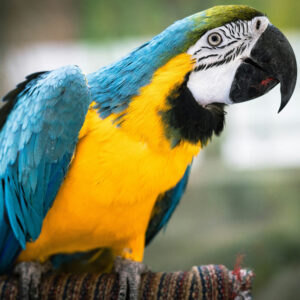
A messy background can distract from your bird’s beauty. A neutral wall, curtain, or even a large piece of cardboard can serve as a clean backdrop. Just like in birding photography, simplicity helps your feathered subject shine.
Keep It Short And Sweet
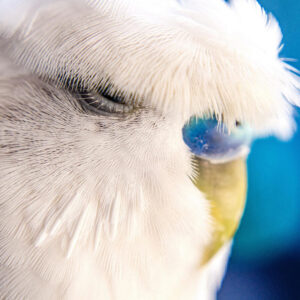
Birds don’t pose on command. Professional pet photographers recommend keeping sessions short and don’t force your bird to be in front of the camera. Watch for signs of stress, take breaks, and keep healthy treats nearby. Whether you’re using a DSLR or just your smartphone, the key to great bird photography is patience, lighting, and capturing real moments. You don’t need a professional studio to create beautiful, natural portraits of your feathered friend.
Portrait Mode Puts Your Bird In The Spotlight
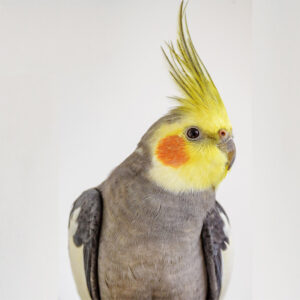
Your phone camera’s portrait mode helps your bird’s image “pop” by softly blurring the background and keeping the focus sharply on their face. This effect draws attention to your bird’s vibrant feathers, beak, and expression, even if the background is cluttered or distracting. Portrait mode also adds a sense of depth and dimension, which helps highlight the texture of feathers and the shape of your bird’s body in a more natural, professional-looking way.
To get the best results, make sure your bird is well-lit (e.g. natural light coming in through the window) and positioned at least 12 to 18 inches from the background. Tap your bird’s eye on the screen to ensure it stays in focus. Just be aware that portrait mode can sometimes misjudge the edges of feathers, especially around crests or tails, so review your shot afterward for any blur artifacts. This mode works especially well for calm, perched birds giving you a polished photo that feels more intentional than a regular snapshot.
Try Burst Mode
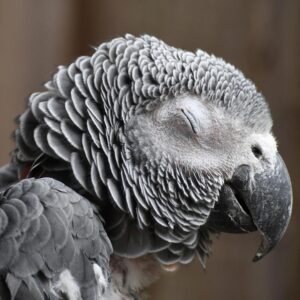
Burst mode rapidly captures a series of photos when you hold down the shutter button. It’s especially helpful for photographing fast-moving subjects like our feathered friends (practically a necessity for photographing budgies!) This feature allows you to freeze action without blur, catch moments like wing flaps or head tilts, and choose the best pose from a short sequence, all in just a second or two. Instead of relying on perfect timing, burst mode gives you multiple chances to land the perfect shot.
This makes it ideal for pet birds, as even a slight head twitch can ruin a photo, but burst mode increases your odds of capturing eye contact, a crest raised in excitement, or a spontaneous behavior like preening, yawning, or stretching. It’s a simple tool that can help you get that one great image that captures your bird’s personality.
How To Use Burst Mode (Phone by Phone)
iPhone
- On iPhone XS, XR, 11 and newer:
- Quickly swipe the shutter button left (in photo mode) and hold.
- You’ll see a counter of shots at the top.
- Release to stop shooting.
- On older iPhones (like iPhone 8 or X):
- Simply press and hold the shutter button in photo mode.
You can turn on “Use Volume Up for Burst” in camera settings if you want faster control.
Android Phone
Burst mode varies slightly by brand, but here are common ways:
Samsung Galaxy:
- Open the Camera app.
- Hold down the shutter button in Photo mode.
- It will automatically enter burst mode (may need to enable in Settings > Camera).
Google Pixel:
- Hold the shutter button — it will take a short burst.
- Use Motion Photos to select your best frame afterward.
Choose The Best Shot
- On iPhone, go to the burst photo > tap “Select” > swipe through frames > tap the ones you want to keep > tap Done.
- On Android, most gallery apps let you scroll through burst frames and save the best.
Since bursts take up more space, be sure to delete extra frames after you pick your favorites.
What About Action Shots?
Capturing your bird in flight indoors with a smartphone is possible with the right setup and tools. Use burst mode to take rapid photos while your bird is in motion. You can also try Live Photos, Motion Photos, or record a 4K video and grab a still from the best frame.
Choose a quiet, enclosed room free of mirrors, fans, and sharp objects. Set up a landing spot for your bird to cue to, such as a familiar perch or person, and encourage short flights to them. Pre-focus your camera and use a simple cue to signal takeoff. Keep sessions short, give breaks, and make sure your bird stays comfortable. With patience and the right tools, you can safely capture the beauty of flight at home.
Take A Live Photo
According to the Apple website, you can take a live photo by following these prompts:
- Open Camera on your iPhone.
- Make sure Camera is set to Photo mode and that Live Photo is turned on.
Note: Live Photo is on by default. When it’s on, you see
 at the top of the camera screen.
 - Tap the Shutter button or click the Camera Control to take a Live Photo.
- To play the Live Photo, tap the photo thumbnail at the bottom of the screen, then touch and hold the screen.
Live Photos are automatically saved in your photo library in the Photos app. To add effects such as bounce and loop to Live Photos, see Add effects to a Live Photo.
Here’s a helpful video that shows how to use Live Photo (also called Motion Photo) on Samsung phones; you can also check out this in-depth article as well on how to turn on motion photos on Samsung Galaxy devices.
depth of field is something else to pay attention to especially when shooting close ups of 3 foot long greenwings!
https://www.parrotbyte.com/art/blaze_2024.htm
https://www.parrotbyte.com/art/Photo_18.htm
Blaze (current GW) and previously Bubbles are both rescue birds. Pictures not shot with a phone!
Thank you for your excellent tip Art! You obviously know your way around a camera; the photos of Blaze and Bubbles are amazing and show off their colors and big personality beautifully.